

Oracle ACFS Commands Every DBA Needs
Oracle ACFS is a scalable, multi-platform file system built on ASM, supporting storage for databases, applications, binaries, and logs across single-instance (Oracle-Restart) and RAC setups.
Oracle Automatic Storage Management Cluster File System (Oracle ACFS)
Oracle Automatic Storage Management Cluster File System (Oracle ACFS) is a multi-platform, scalable file system, and storage management technology that extends Oracle Automatic Storage Management (Oracle ASM) functionality to support all customer files.
ACFS file systems are generally configured for cluster-wide accessibility, ensuring that files, directories, and file systems are uniformly visible and reachable from all nodes.
There could be many but, I have picked few supported/Unsupported file types related to ACFS
| Supported | Unsupported |
|---|---|
| Oracle Database Files | OCR |
| Application Files | Voting Files |
| Trace Files | ASM Managed-related files |
| Alert Logs | Files part of GI Home |
| BFILEs | |
| Configuration Files | |
| Video, Audio, Text, Images |
ACFS Storage Layer
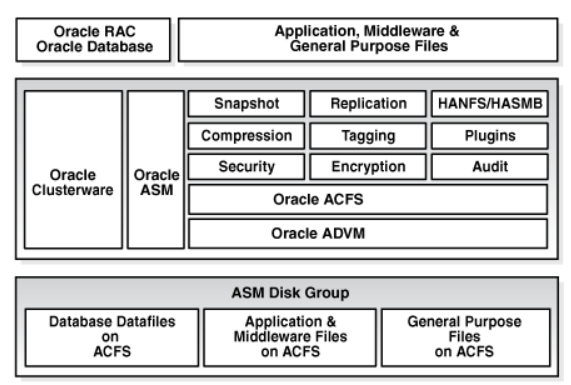
© Oracle — official documentation screenshot
In this document, I am working with the following Oracle configuration on Oracle Restart 19c deployed in the Azure Cloud
Oracle Database 19
RHEL 8
| This scenario covers adding 64 TB of ACFS storage on Linux for RMAN backups and validating ACFS functionality when the ASM disk group is disconnected, remounted, and the ACFS volume appears in a DISABLED state requiring re‑enablement |
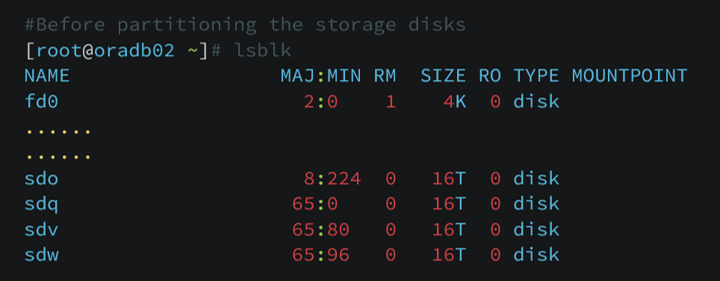
Before Partitioning the storage Disks
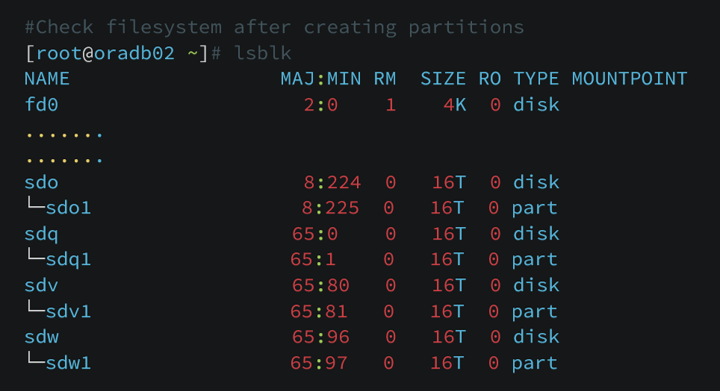
Partitioning the storage using parted command

After Partitioning below is the screenshot of the file system
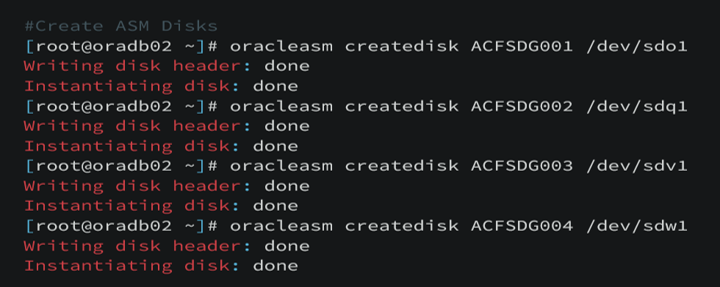
Creating ASM Disks
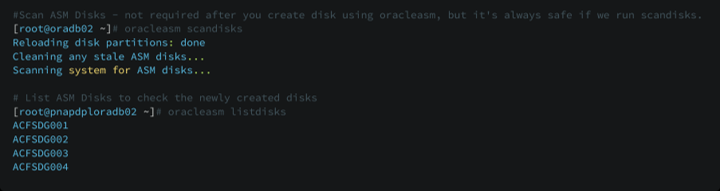
Scan and List the ASM Disks using scandisks and listdisks
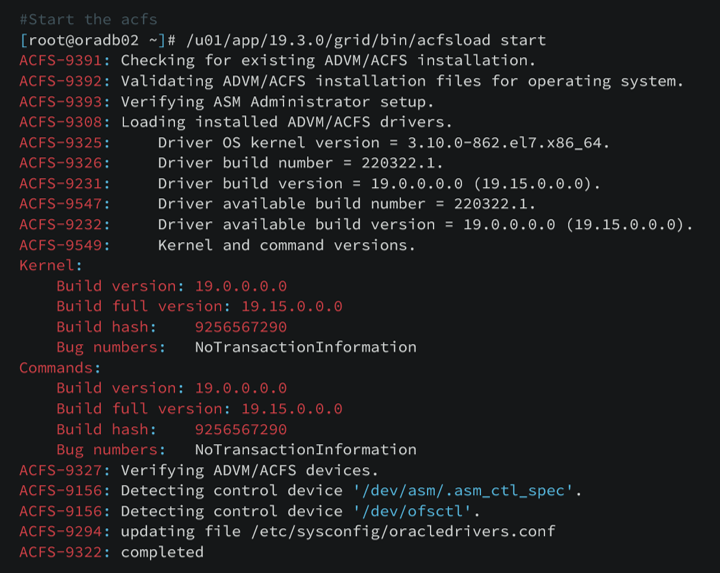
If ACFS is not loaded, start it using the acfsload command.
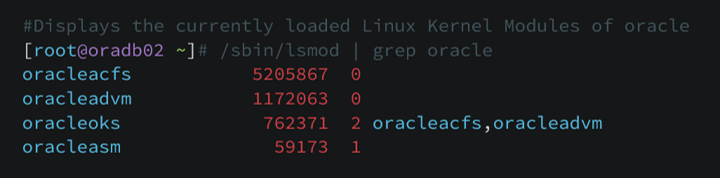
Check if acfs and advm modules were loaded
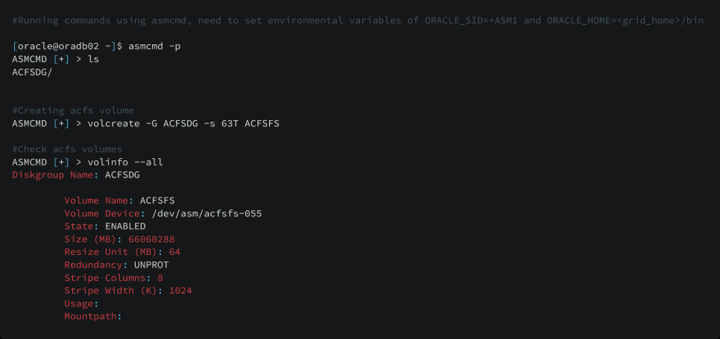
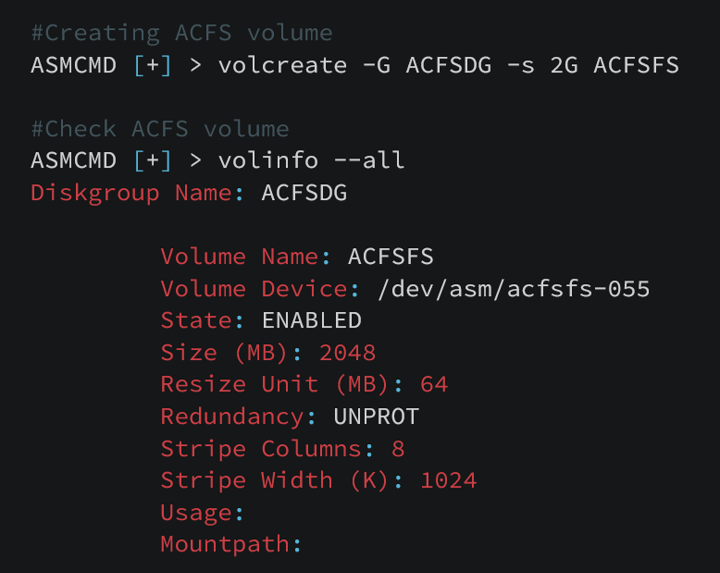
Using asmcmd we will create acfs volumes and check if that volume is enabled
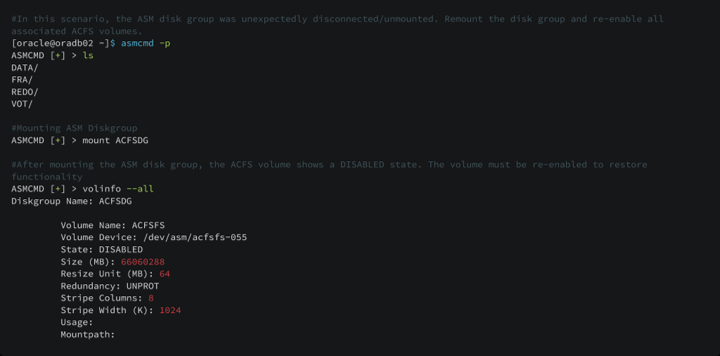
Here we are re‑mounting the disconnected ACFS volume. First, verify whether the ASM disk group is mounted; if it is not, mount it. Disconnected ACFS volume always shows DISABLED
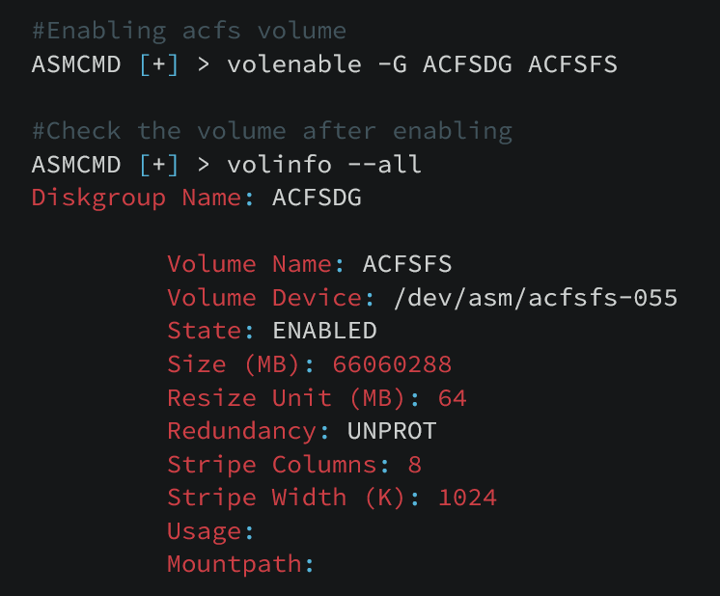
Enable the mounted ASM disk group and the ACFS volume. Once the ACFS volume is enabled, its state automatically changes to ENABLED
After creating ACFS volume, we need to
- Create ACFS File system
- Create Local Mount point
- Mount ACFS File system to the Mount point

Using asmcmd we will create acfs volumes and check if that volume is enabled
Creating acfs file system, mount point and mounting acfs to the mount point
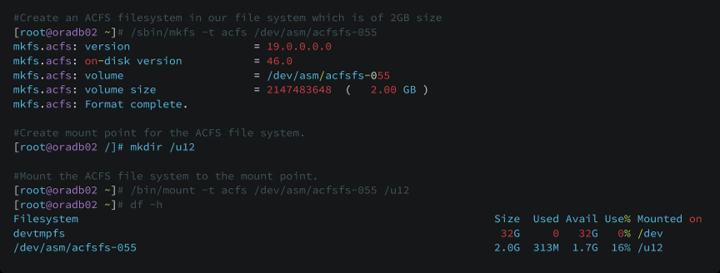
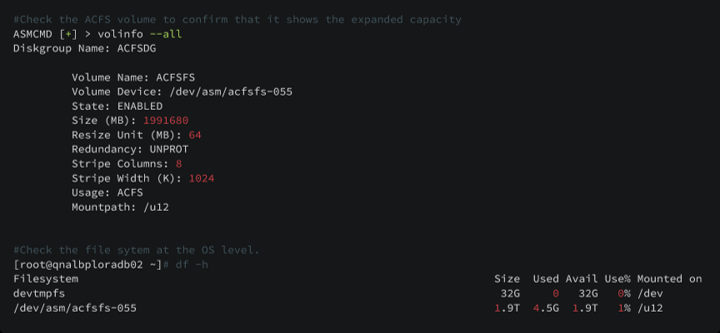
Resizing existing acfs volume from 2GB to 1.9 TB , we need to expand the Diskgroup at the storage level

Check the acfs volume as well as the acfs mounted file system
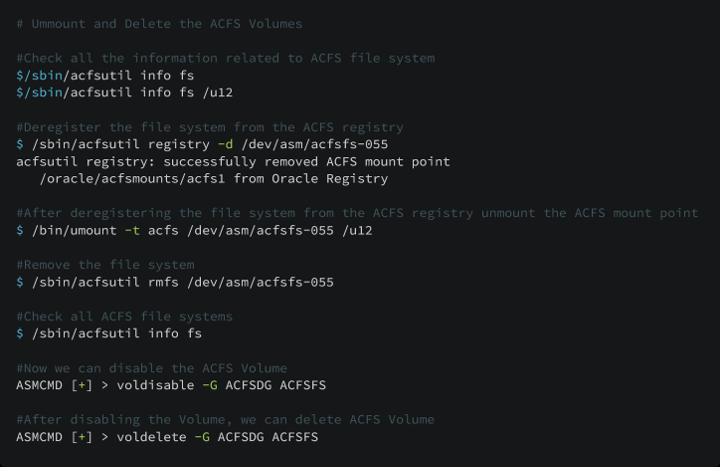
Unmounting the existing ACFS File system
- Deleting the ACFS File system
- Disabling the ACFS Volume
- Deleting the ACFS Volume
TIPS & BEST PRACTICES
Oracle specifies that Oracle Restart does not support the ACFS registry. ACFS resources are supported only in Grid Infrastructure clusters, so ACFS must be mounted and unmounted manually when used with Oracle Restart. We can configure the fstab file to automatically mount the ACFS file system during the standard file system mount process at boot.
Monitor V$ASM_DISKGROUP and V$ASM_VOLUME_STAT to check reads and writes

Set Alerts at 70–75% usage

Don't wait until 100%. Configure monitoring alerts at 70% so your team has time to add capacity before it becomes a crisis.
The Article is really nice. I learnt so much from it.